
6.Opening modern shortcuts in TeamsSearchApp
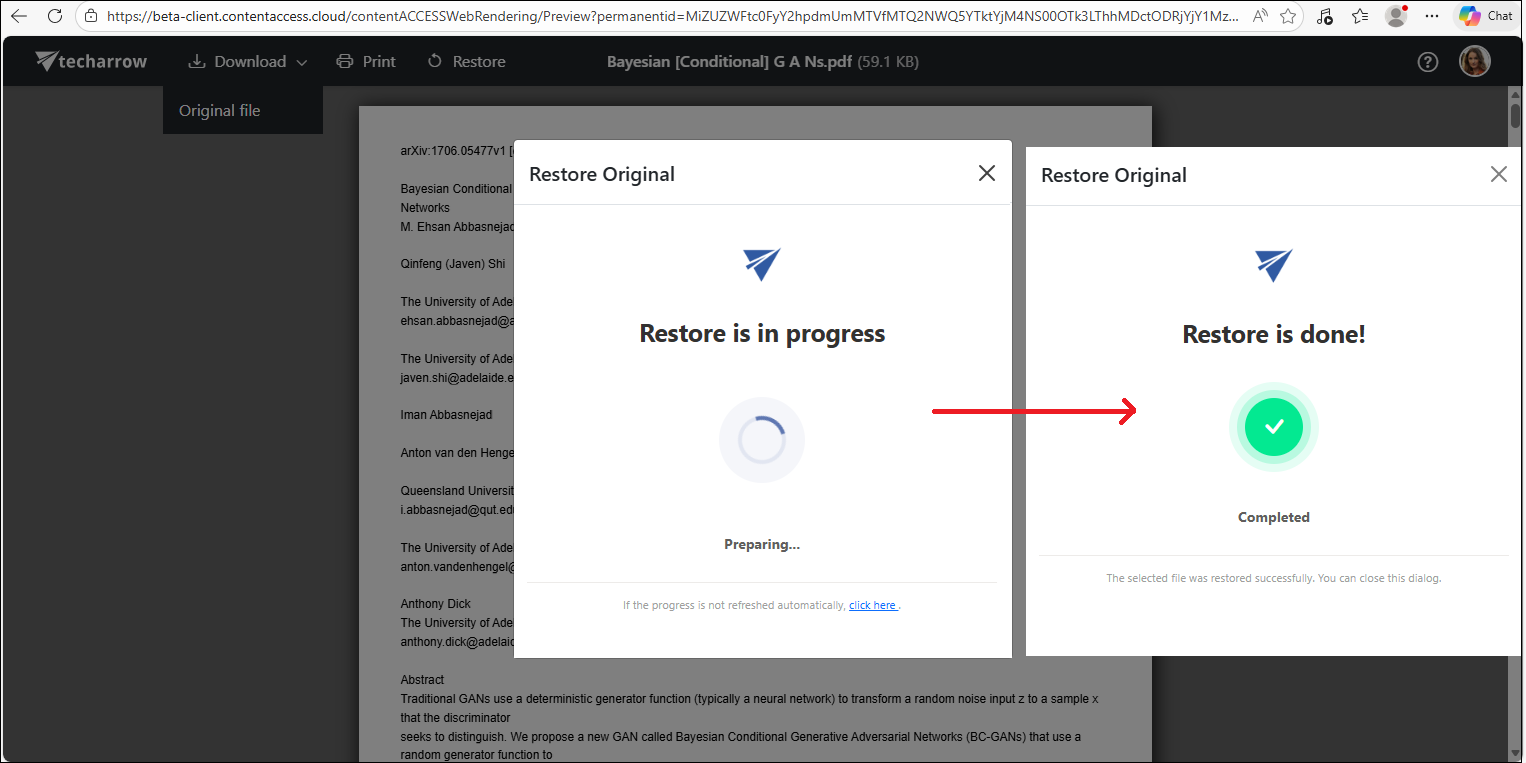
If the TeamsSearchApp is installed in Microsoft Teams and there are modern shortcut files in the selected team, users can open these files directly through the TeamsSearchApp. This option is available because if you simply click the file in the post, Teams will attempt to open the shortcut itself (in .alink format) rather than the original archived file, so the actual file content will not be displayed.
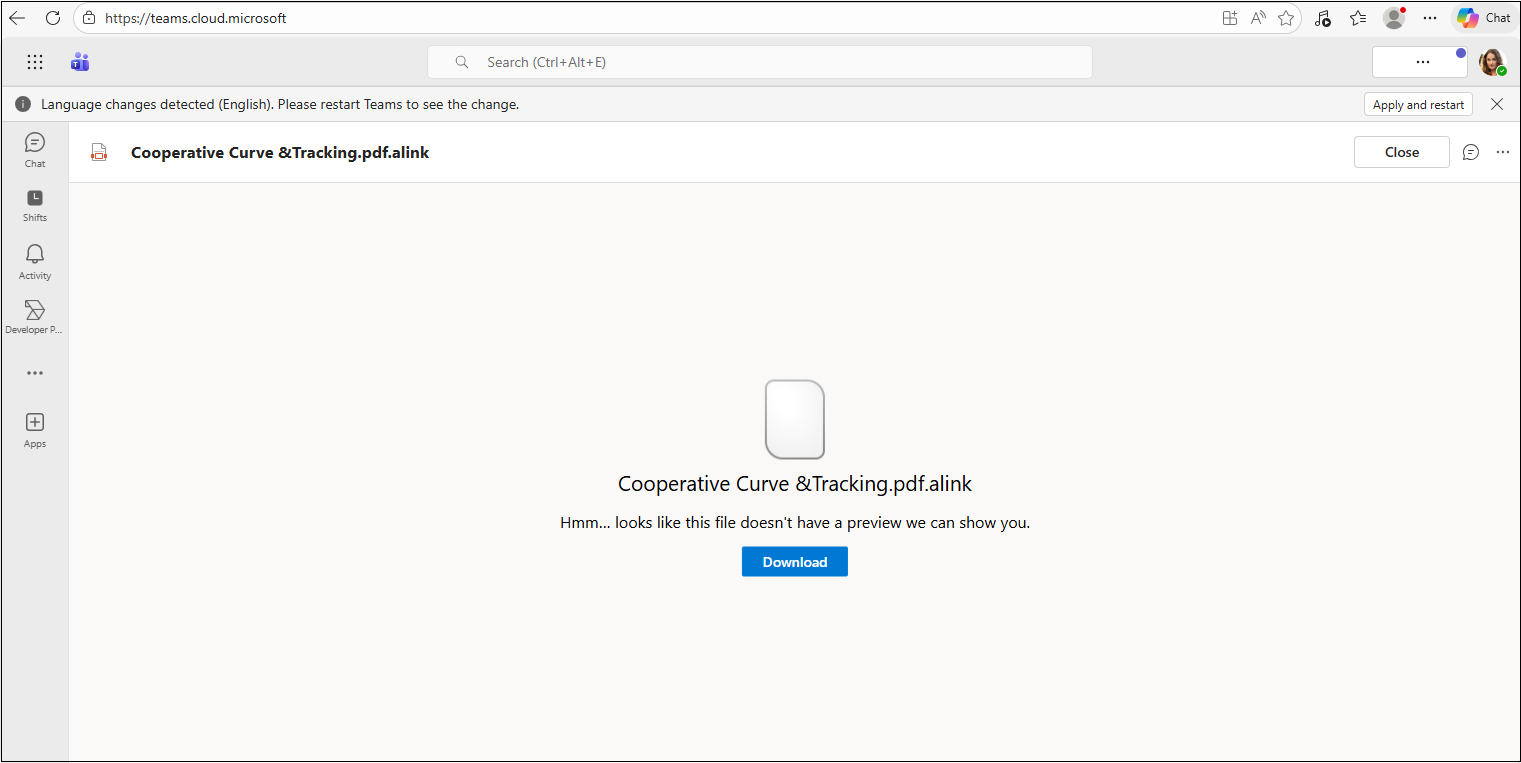
In the post containing the shortcut files, click the context menu (…) and select ‘Open archived files‘.
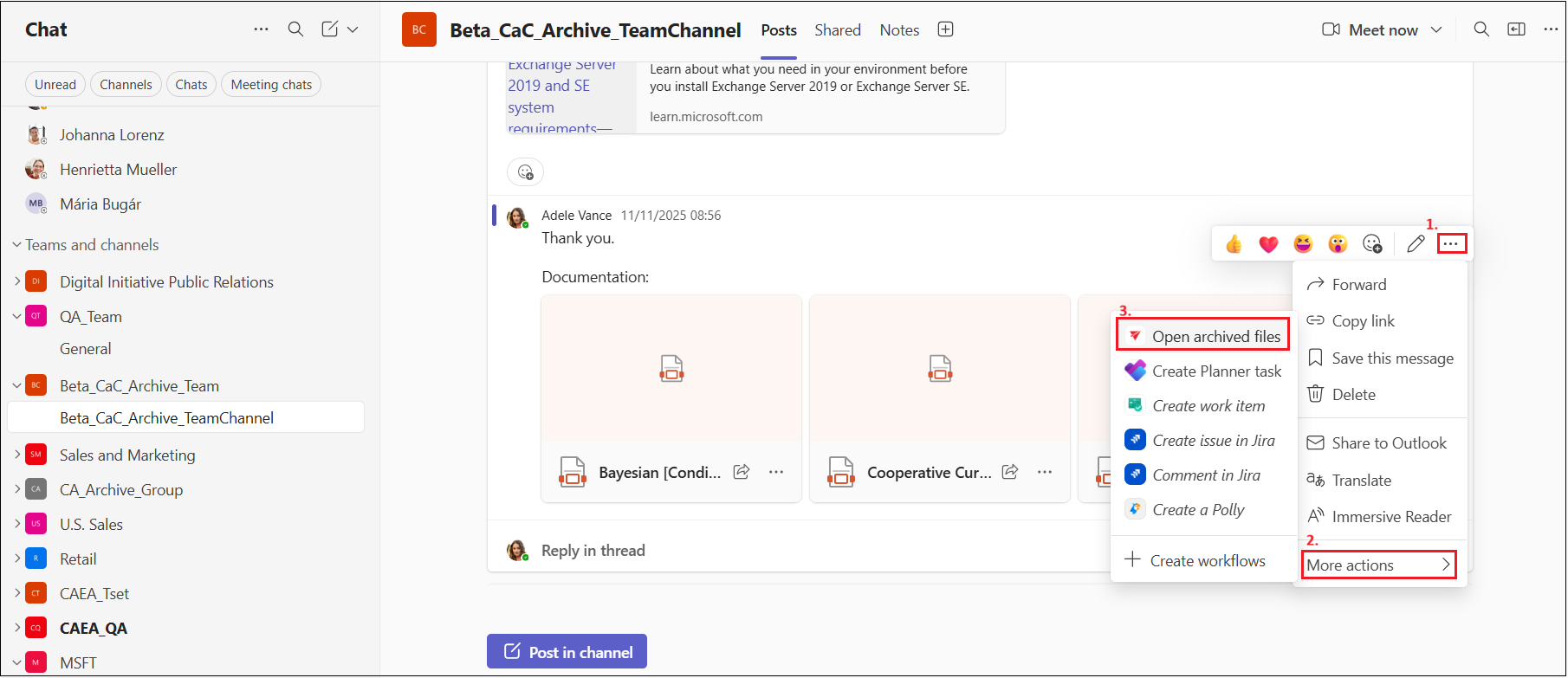
Upon clicking on the option, a contentACCESS window will appear, and on first use, you will need to sign in. Clicking the ‘Sign in‘ link opens the contentACCESS login page in a new browser window, and after successfully logging in, you are automatically redirected back to Teams, where the contentACCESS window displays the files along with the Open button.
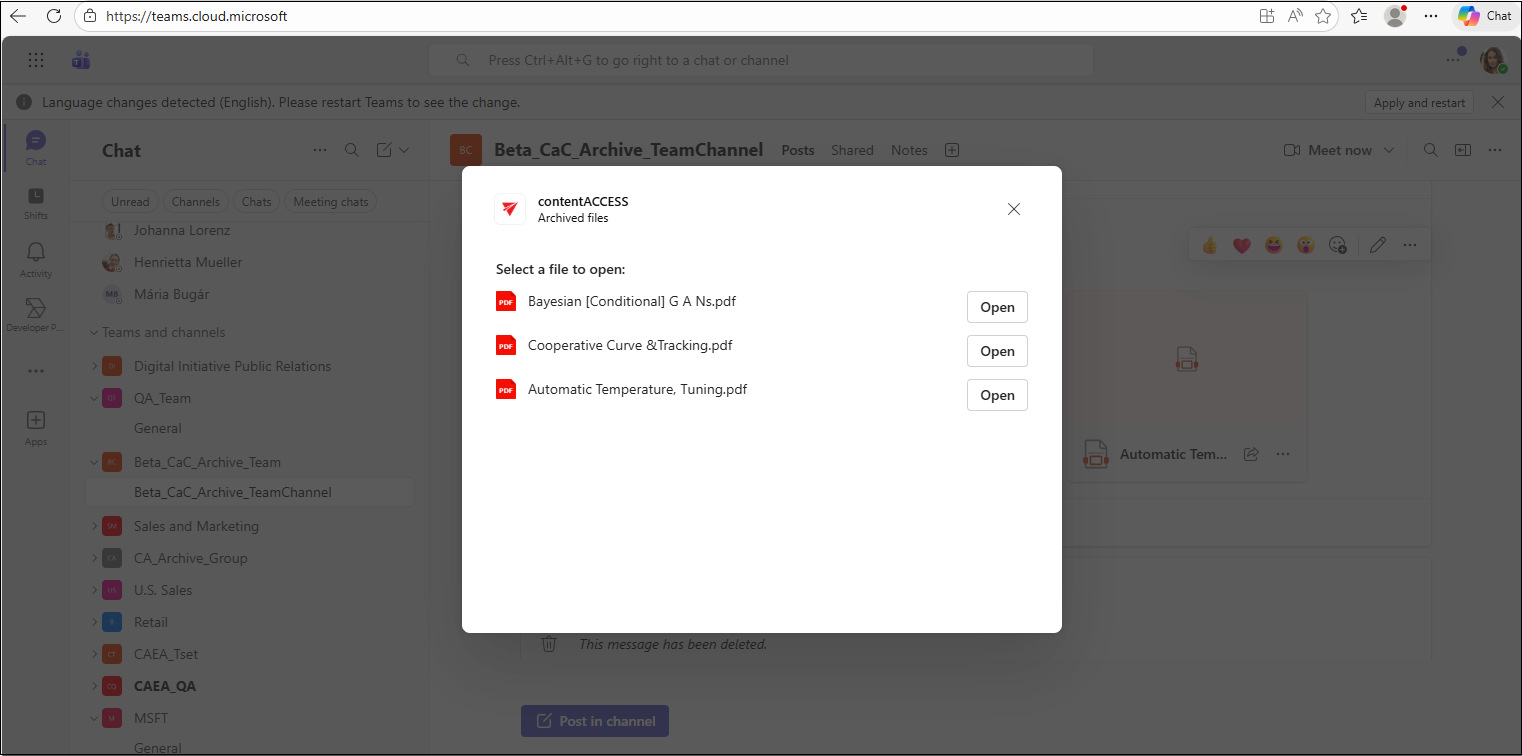
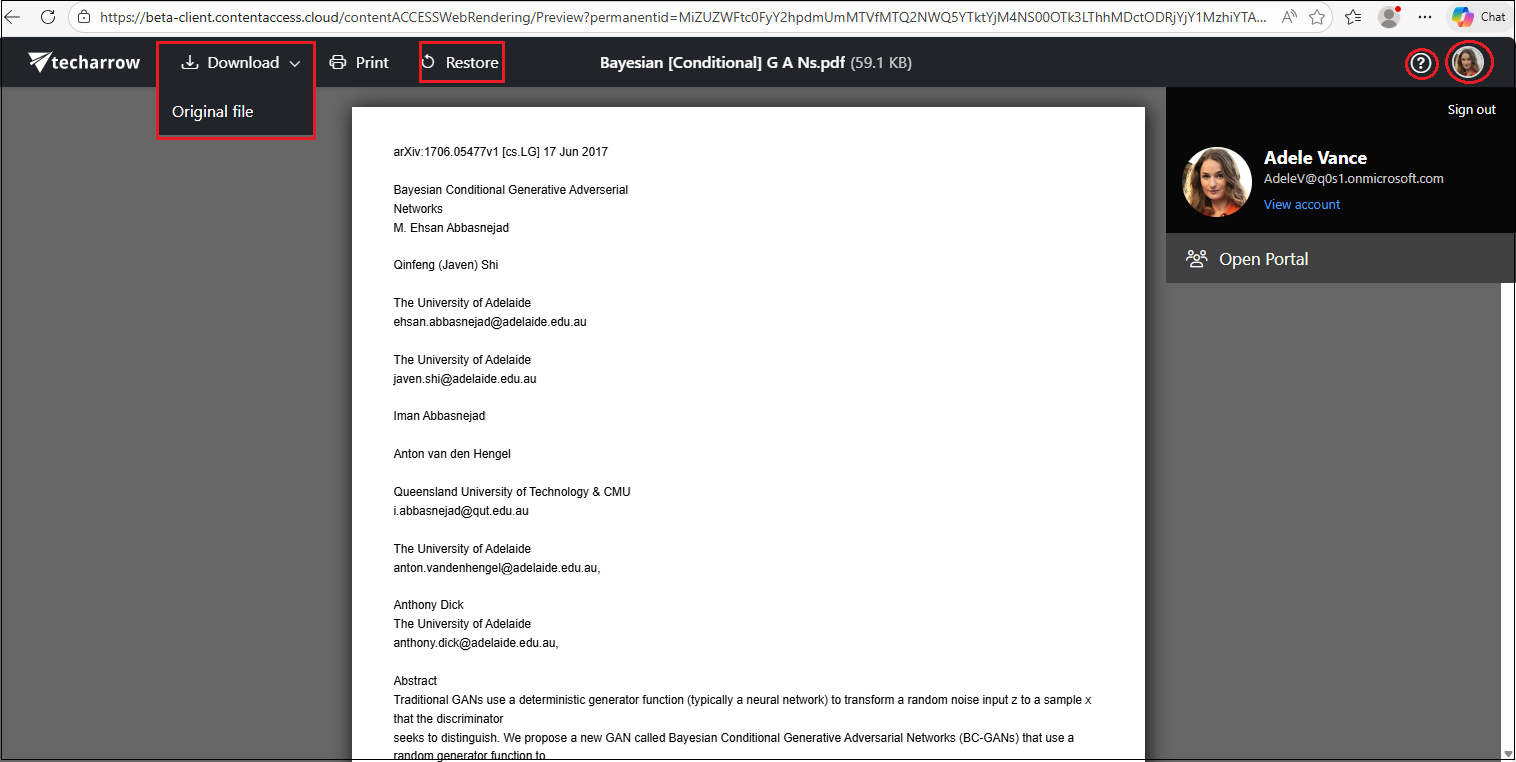
Clicking the Open button for the first time may prompt the contentACCESS login page again, and after signing in, the preview of the selected file will be open. In this window, you can download the original document, save it as a PDF (if it’s not a PDF by default), or restore the shortcut.
Additionally, clicking the question mark (?) opens the relevant chapter of the contentACCESS Portal manual about file previews. By clicking on the user’s profile picture (or monogram if there is no profile picture set to the logged in user) in the top-right corner, you can access the user menu to view information about the signed-in user, access their profile by clicking View account, open the folder/entity containing the archived file via Open Portal, or sign out using the Sign out option. ,
When you decide to restore the file from the preview, the Restore in progress window appears, followed by Restore is done! once the process is complete. After closing the preview, the file will be available again in Teams with its original format.